FILO · RELEASES

Il Filo, version by version.

What’s new, what’s improved and the details of each update. One place to follow how Il Filo evolves.

1.3.0 · RELEASED

Expenses have a context too.

Budget, formatted text and a new identity. More ways to follow what matters, within the same Filo.

  • Budget: organize expenses, estimates and payments in context. Set an optional limit, link expenses to Steps and keep closed Budgets in the Timeline.
  • More expressive text: use bold, italics, highlights, lists and links in Traces and Steps. Formatting is also visible in Filo detail previews.
  • Easier archive browsing: sort Fili and Collections by recent activity or name, with favorites first. The Favorites filter is now separate from other filters.
  • More complete reminders: Filo cards show the nearest reminder across Steps and Appointments.
  • A new look for Il Filo: a redesigned logo and app icon, with a more minimal interface.
  • More comfortable writing: improved text selection and scrolling in the editor, with a magnifier to position the cursor.
  • Clearer sync: an alert flags conflicting changes with direct access to your choices; Budget conflicts bring related information together.
  • New Budget examples for home, travel and wedding planning, ready to explore without changing your archive.
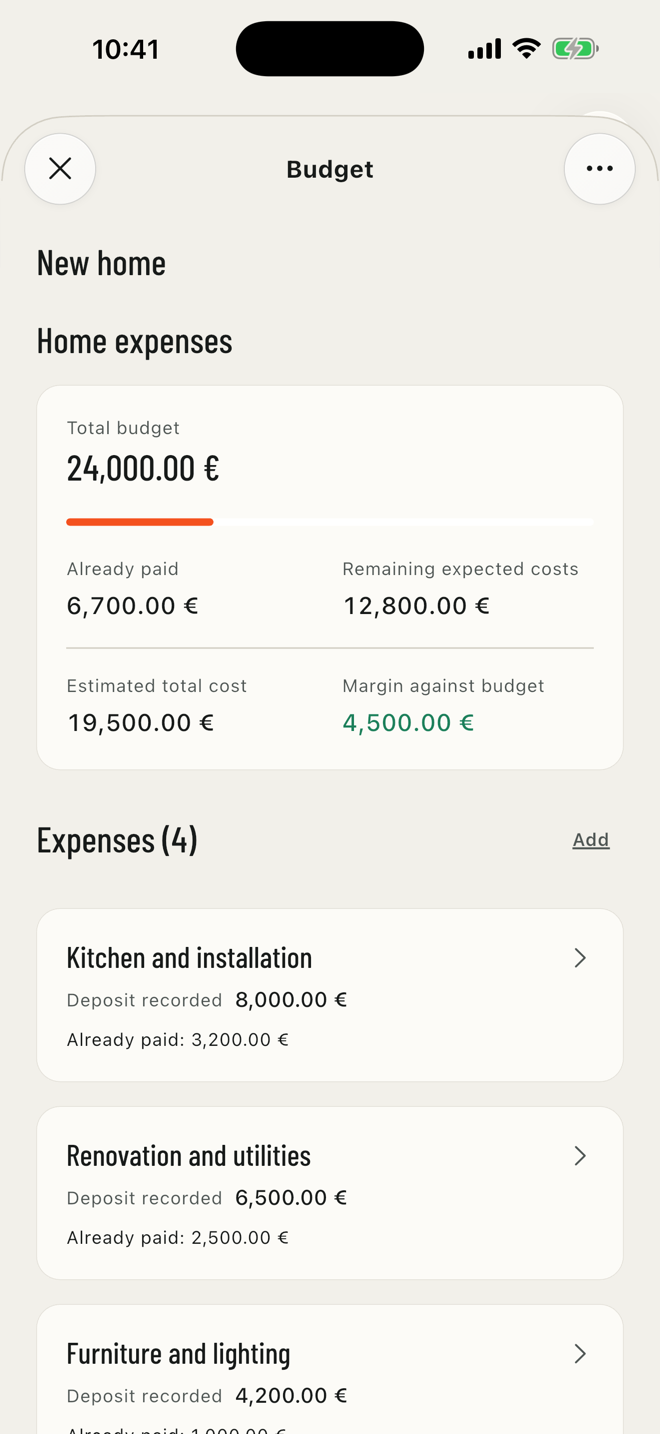
Home expenses Budget in the New home Filo, with estimates, payments and expenses

Previous versions

NEW IN FILO 1.2

Keep what matters close.

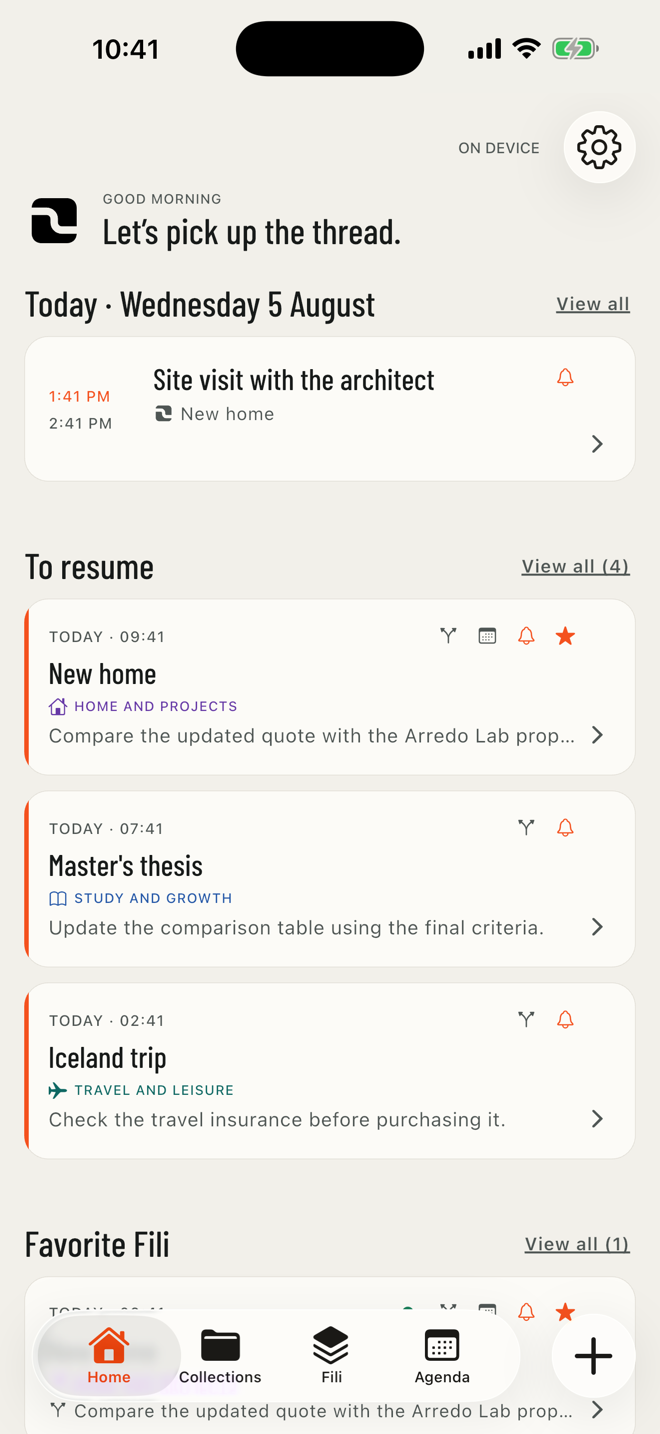
Mark Fili and Collections as favorites and find the latest three of each in dedicated Home sections. Give Collections recognizable colors and make your starting point your own.

  • REORDER SECTIONS AND CHOOSE WHICH ONES TO SHOW
  • TODAY ALWAYS STAYS VISIBLE
  • RESTORE THE DEFAULT ORDER WHENEVER YOU WANT
FILO Home with today’s commitments and Fili to resume
NEW IN FILO 1.1

A Step can become a clear, practical list.

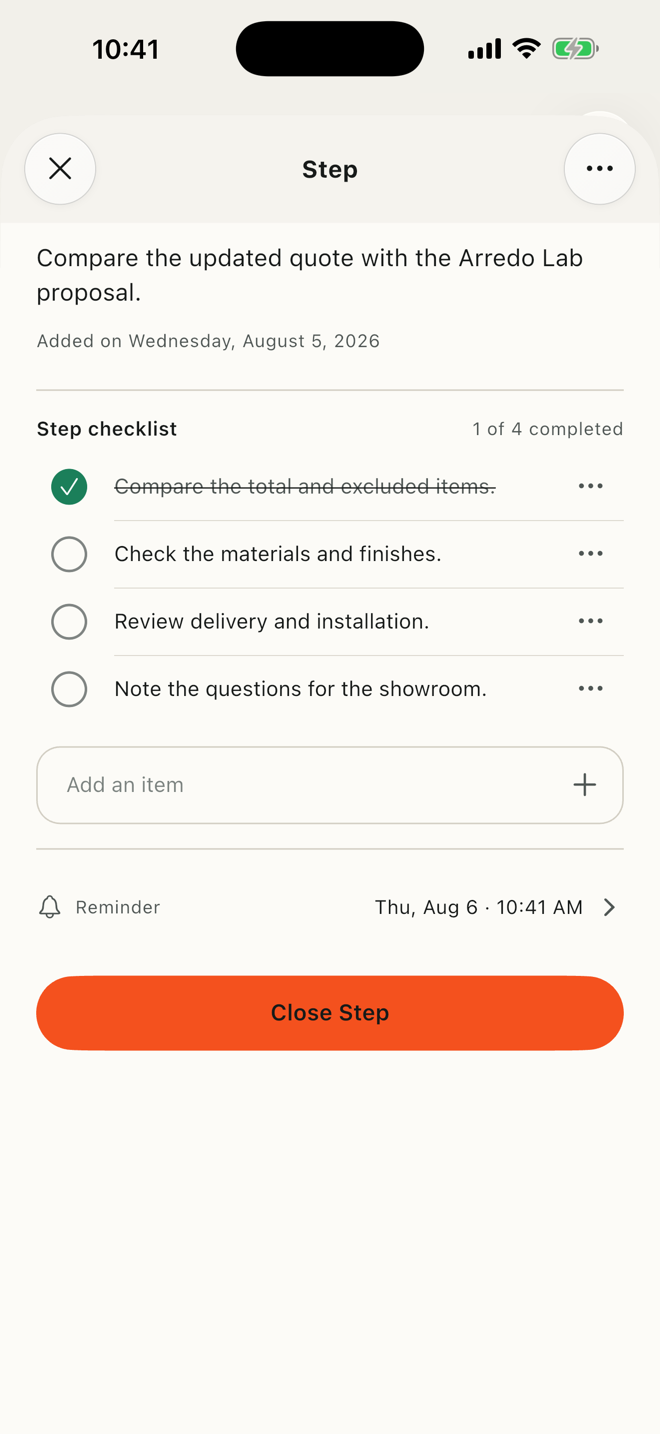
When an action needs more detail, add a list directly inside the Step. Every item stays within its context, without turning the Filo into a generic task list.

  • PREPARE ITEMS WHILE CREATING OR EDITING THE STEP
  • CHECK, RENAME, OR REMOVE ITEMS FROM THE DETAIL
  • LISTS PRESERVED IN PROTECTED BACKUP AND ICLOUD SYNC
FILO Step detail with a practical four-item list and one completed item
THE NEW INTERFACE

FILO, screen by screen.

Ten images to explore Il Filo: context, Steps, Appointments, Budget and everything that helps you pick up again.

Scroll the gallery horizontally. On wider screens, the iPad compositions are shown.