
What you want to follow over time.
A project, a personal goal, a research effort, or any situation that requires attention over time.
FILO keeps decisions, next Steps, Appointments and expenses in context. For a project, a trip or a family commitment: when you return, you know where to continue.
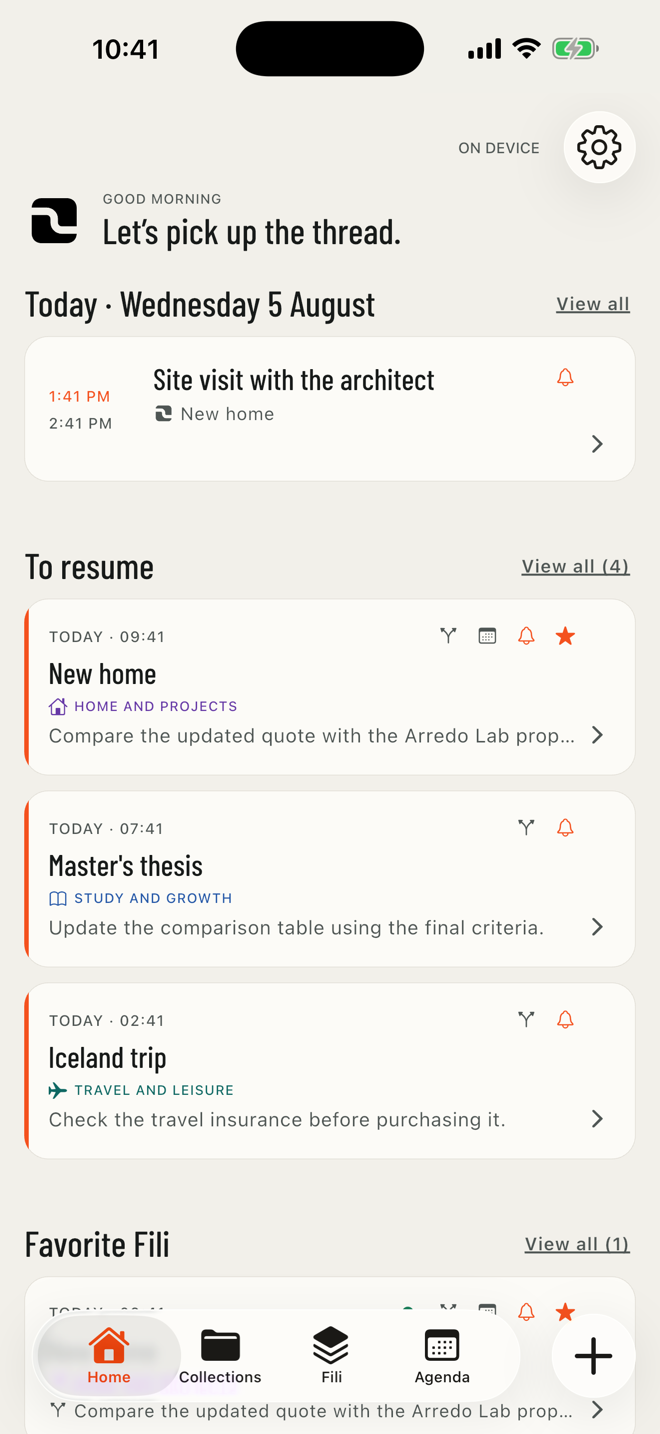
FILO works without an account and keeps a local copy. On iPhone, iPad, and Macs compatible with iPad apps, you can enable iCloud Sync; protected backup remains a separate feature.
Remembering the topic is not enough. You also need the decisions you made, the approaches you tried, and the action that moves things forward.
FILO saves you from reconstructing what you had already learned, decided, or started.
Traces, Steps, Appointments, Budget and Collections: every tool stays connected to what you want to follow over time.
A project, a personal goal, a research effort, or any situation that requires attention over time.
Add a decision, result, meeting, or discovery to the Filo's history.
Define a concrete action with an optional date, outcome, and reminder. When needed, organize it with an internal list.
Connect a meeting to a Filo, with its time, place, notes, reminder, and an optional linked Step.
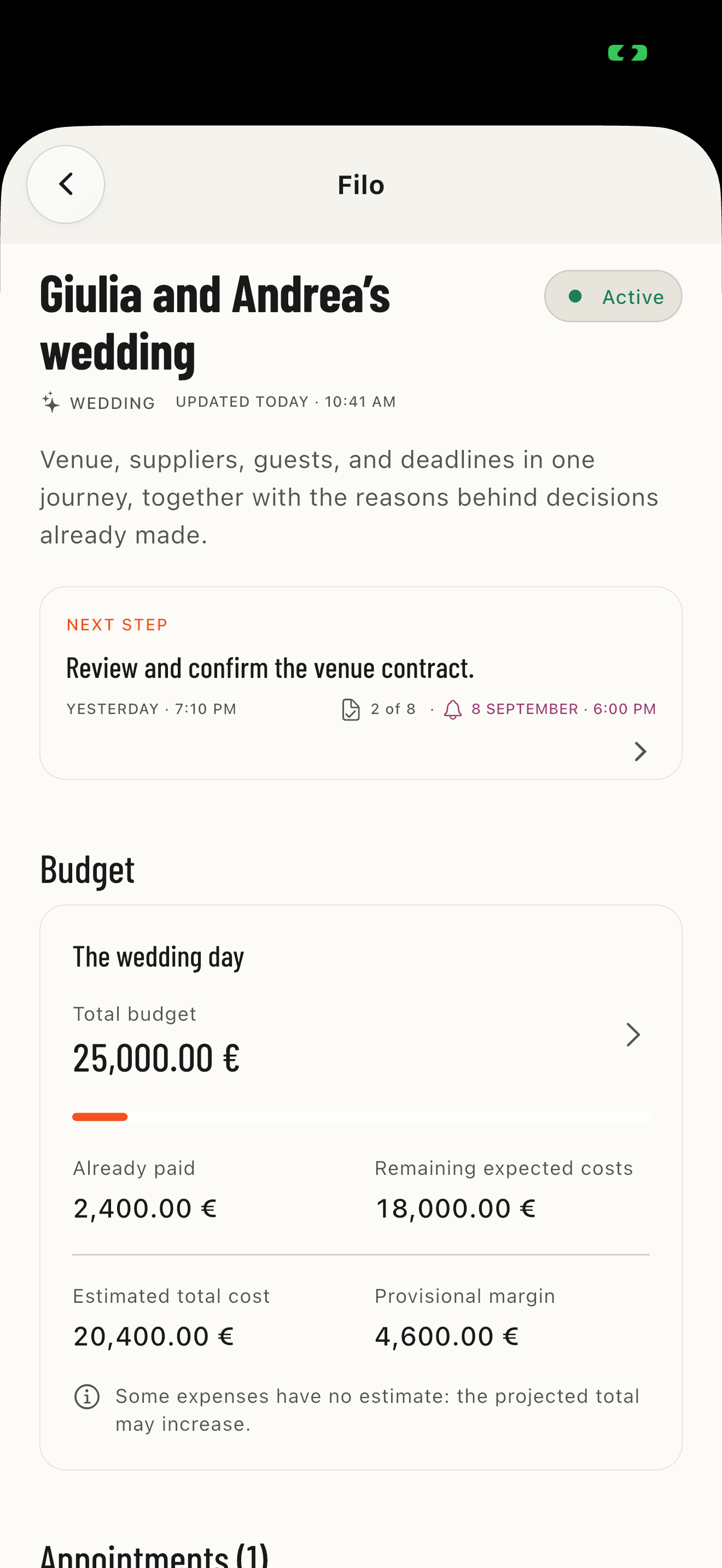
Keep estimates, expenses and payments within the Filo. Link expenses to Steps and find closed Budgets in the Timeline.
Group Fili by topic, project, or person. Choose an icon and color for each Collection and mark the contexts you want close at hand as favorites.
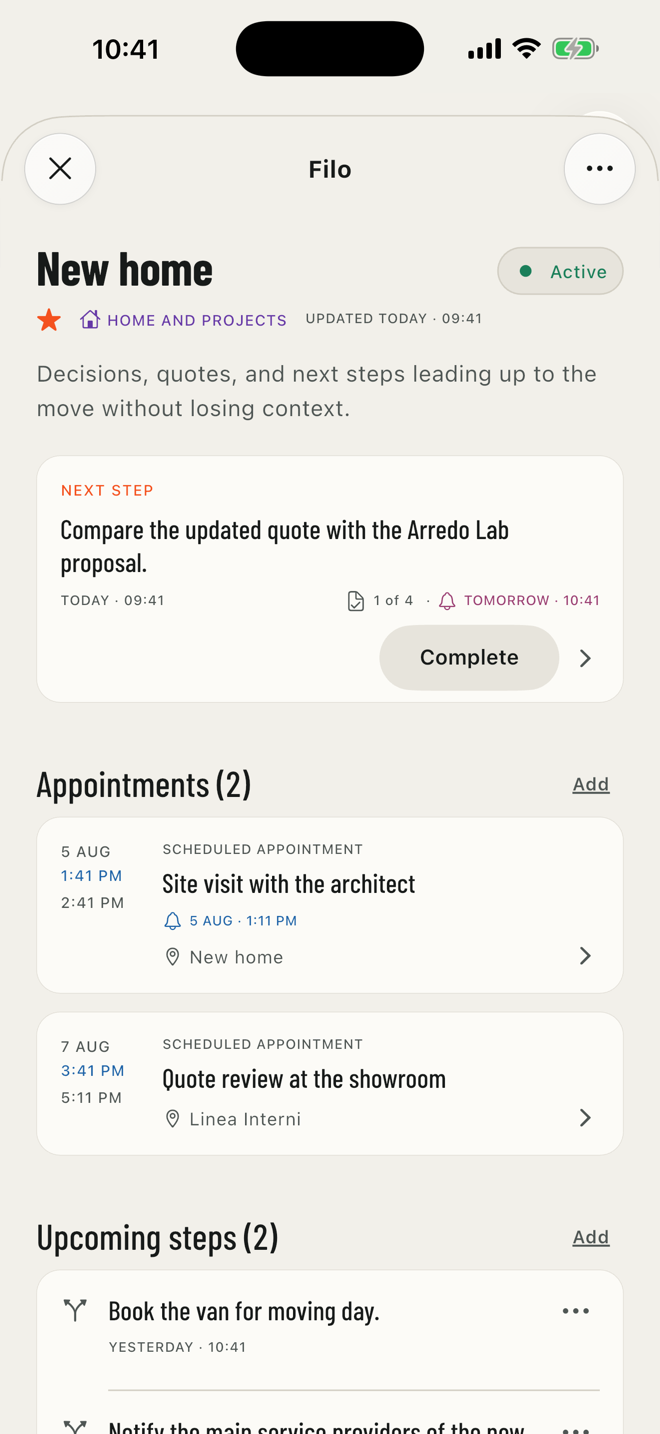
Each Filo brings together its active Step, upcoming Steps, Appointments, and everything that happened before.
NEXT STEP AND APPOINTMENTS SHOWN FIRST
HISTORY IN JOURNEY OR LIST VIEW
SEARCH AND FILTERS BY TYPE, STATUS, OR DATE
KEY POINTS VISIBLE IN BOTH VIEWS
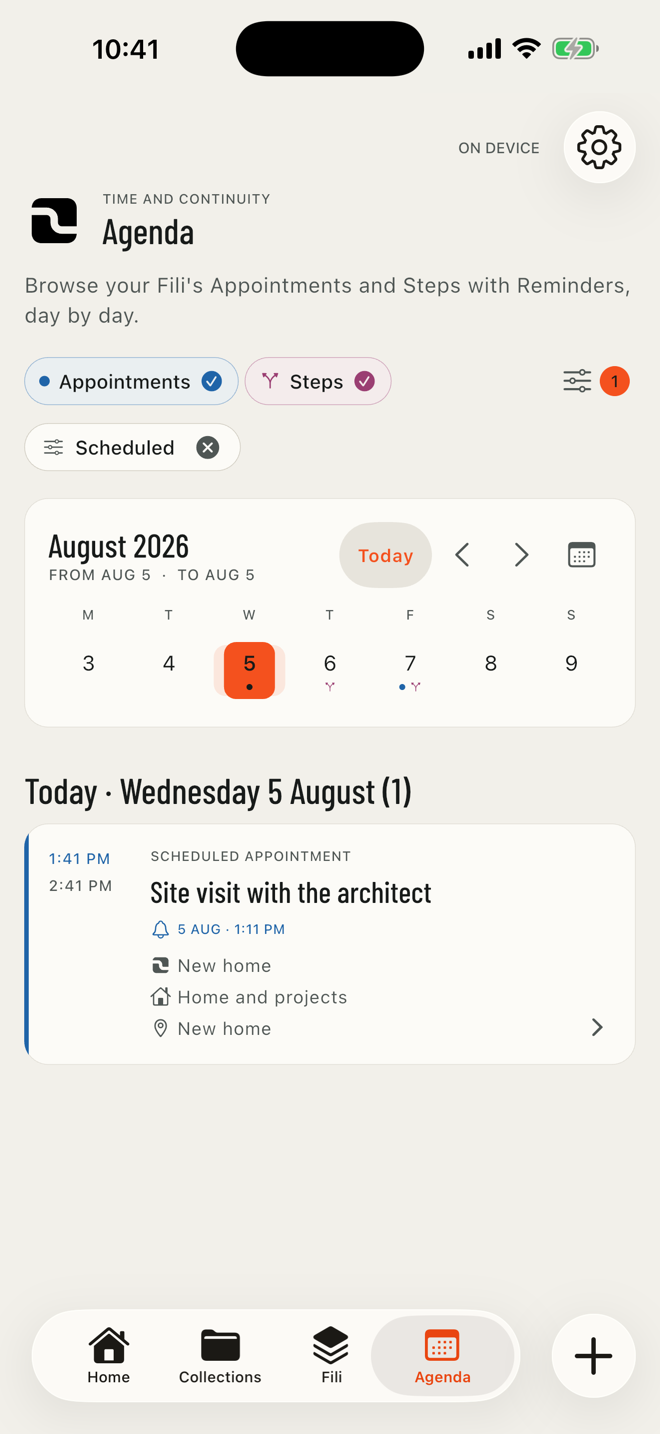
Agenda brings together Appointments and Steps with reminders, always linked to their Filo. Filter by favorite Fili or favorite Collections to focus on commitments in the contexts you want to follow most closely.
EVERY ITEM STAYS CONNECTED TO ITS FILO
FILTER BY PERIOD, STATUS, AND FAVORITES
OPTIONAL LOCAL REMINDER
Group Fili by project, topic, or person. Choose from 45 icons and 12 colors to recognize Collections throughout the app. Favorite a Collection or an individual Filo without changing how they are organized.
See how FILO works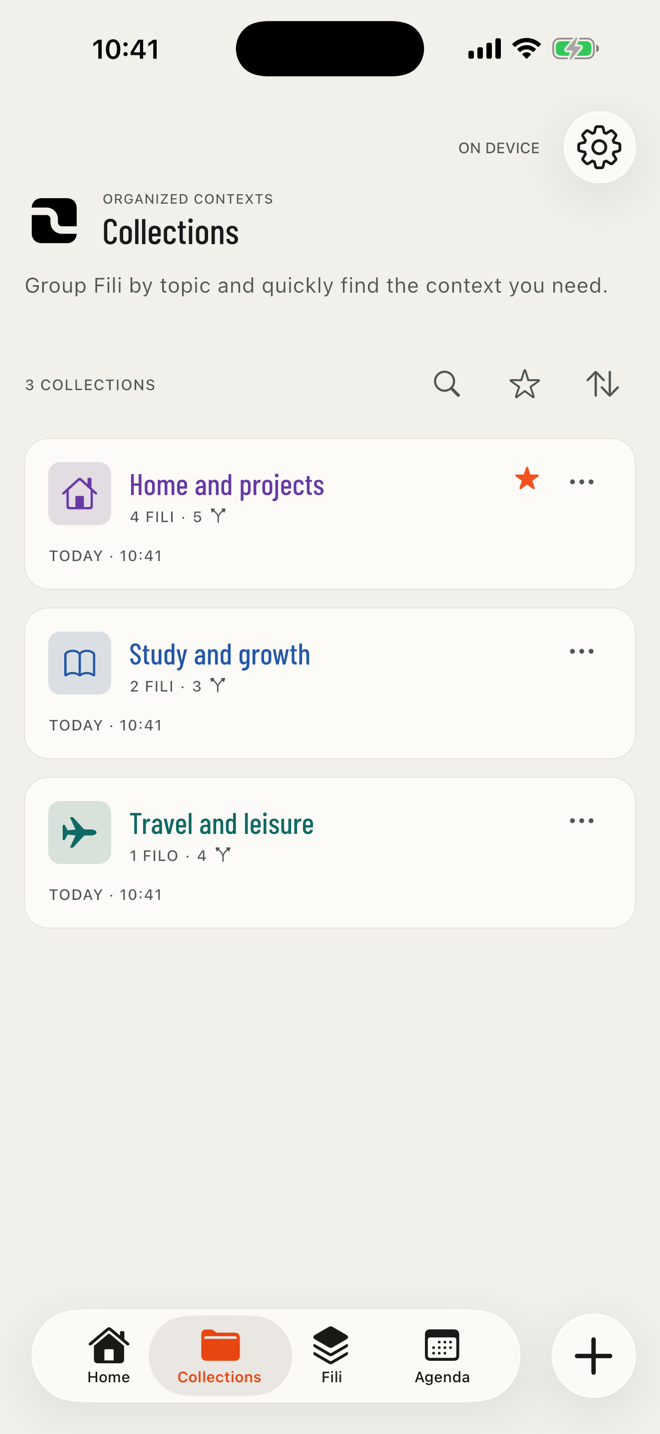
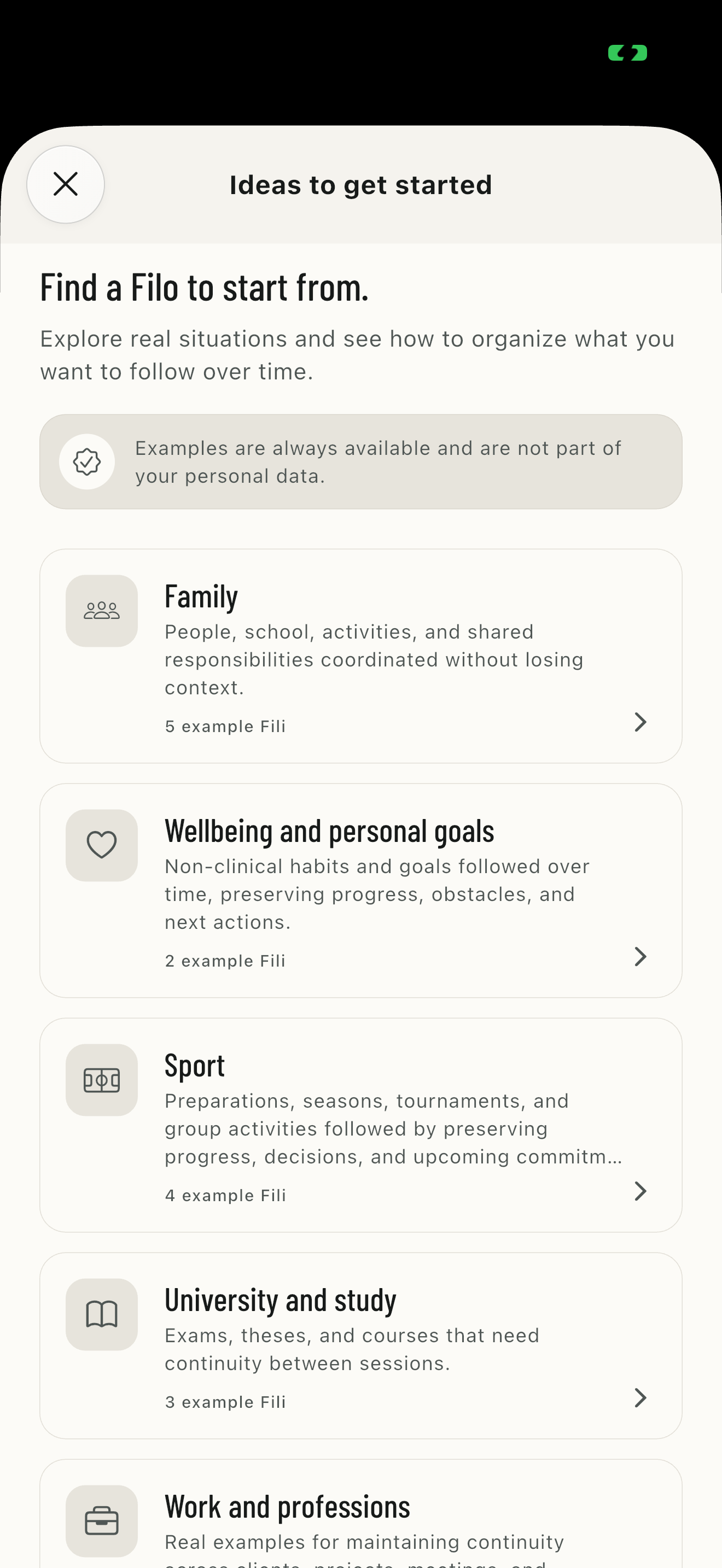
Explore 52 example Fili across 12 categories, from family and study to work, pets, sport, travel, and events.
12 CATEGORIES FOR EVERYDAY AND PROFESSIONAL NEEDS
COMPLETE PREVIEW WITH STEPS, APPOINTMENTS, AND HISTORY
CREATE A SIMILAR FILO WITHOUT COPYING THE EXAMPLE DATA
We tested core journeys on iPhone with system accessibility features while preserving FILO's visual identity.
These statements cover the journeys tested on iPhone. Android checks continue separately.
Explore all features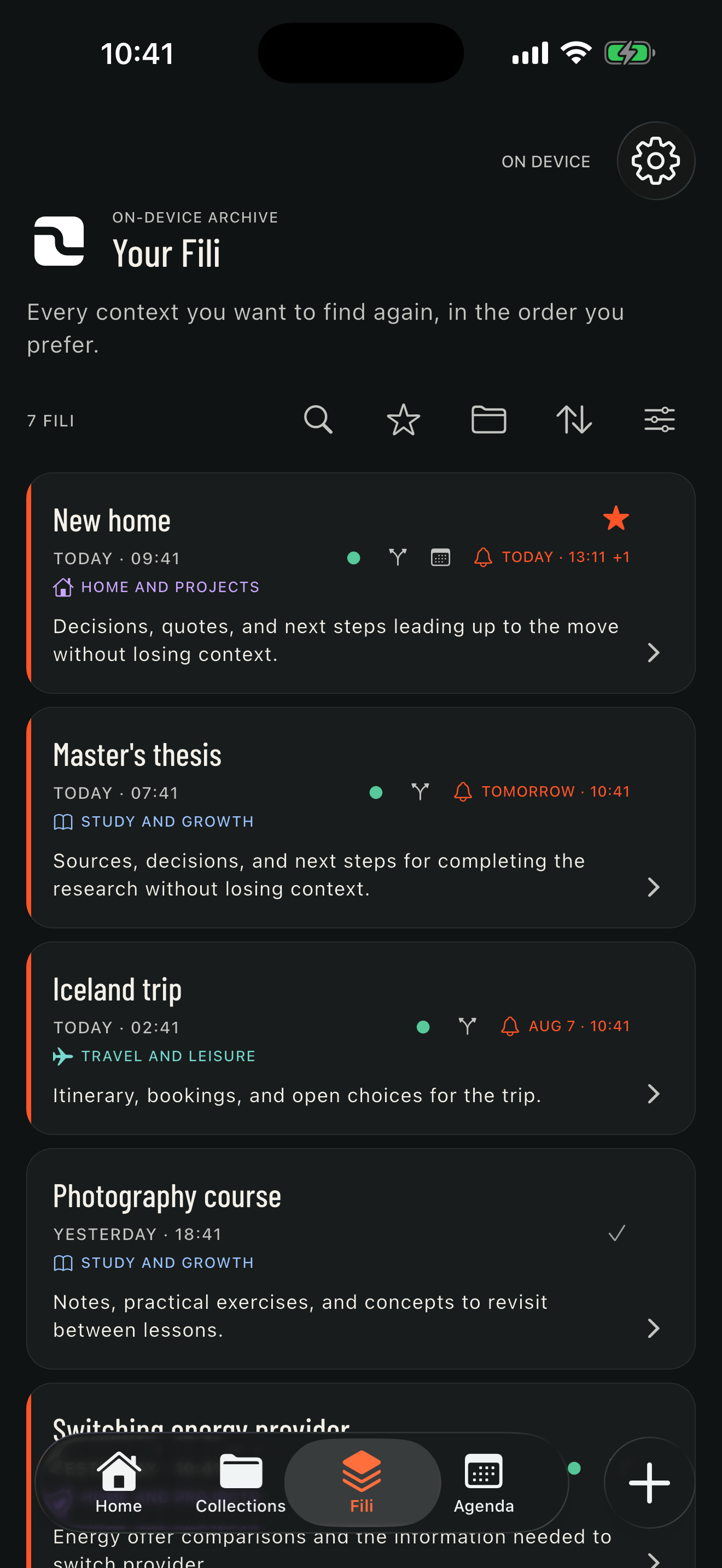
FILO requires no account, includes no advertising or analytics tools, and does not send your content to the developer. If you enable Sync, data travels only through your Apple Account's private iCloud database.
Read the Privacy PolicyDownload it free on iPhone and iPad, with no advertising, a local copy, and optional iCloud Sync. On compatible Macs, it is available as an iPad app. The Android version is coming soon.

Follow what matters without losing the decisions you made, the history, or your next Step.
See how FILO works