Tools that help you recover context and keep going.
Everything you need to remember what happened, decide what comes next, and protect the content you recorded.
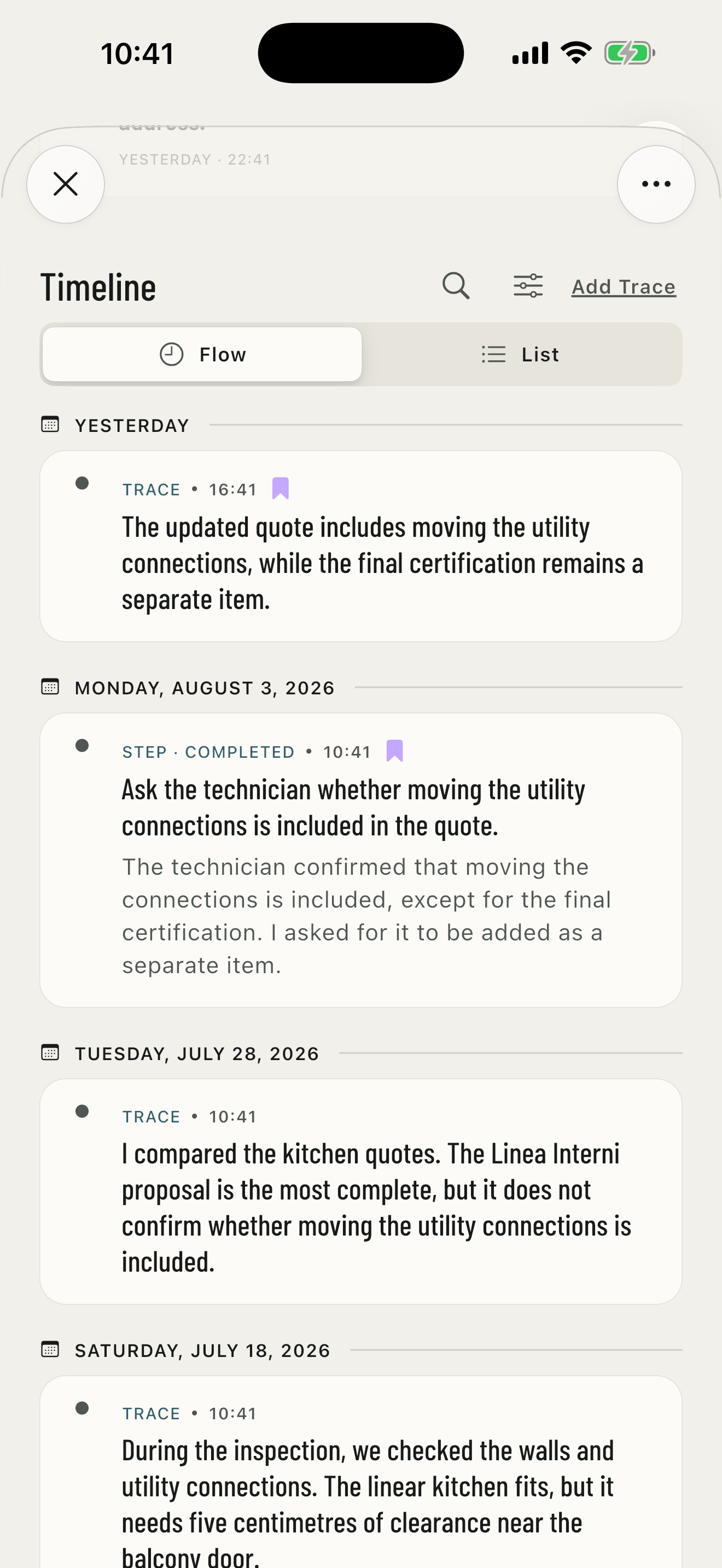
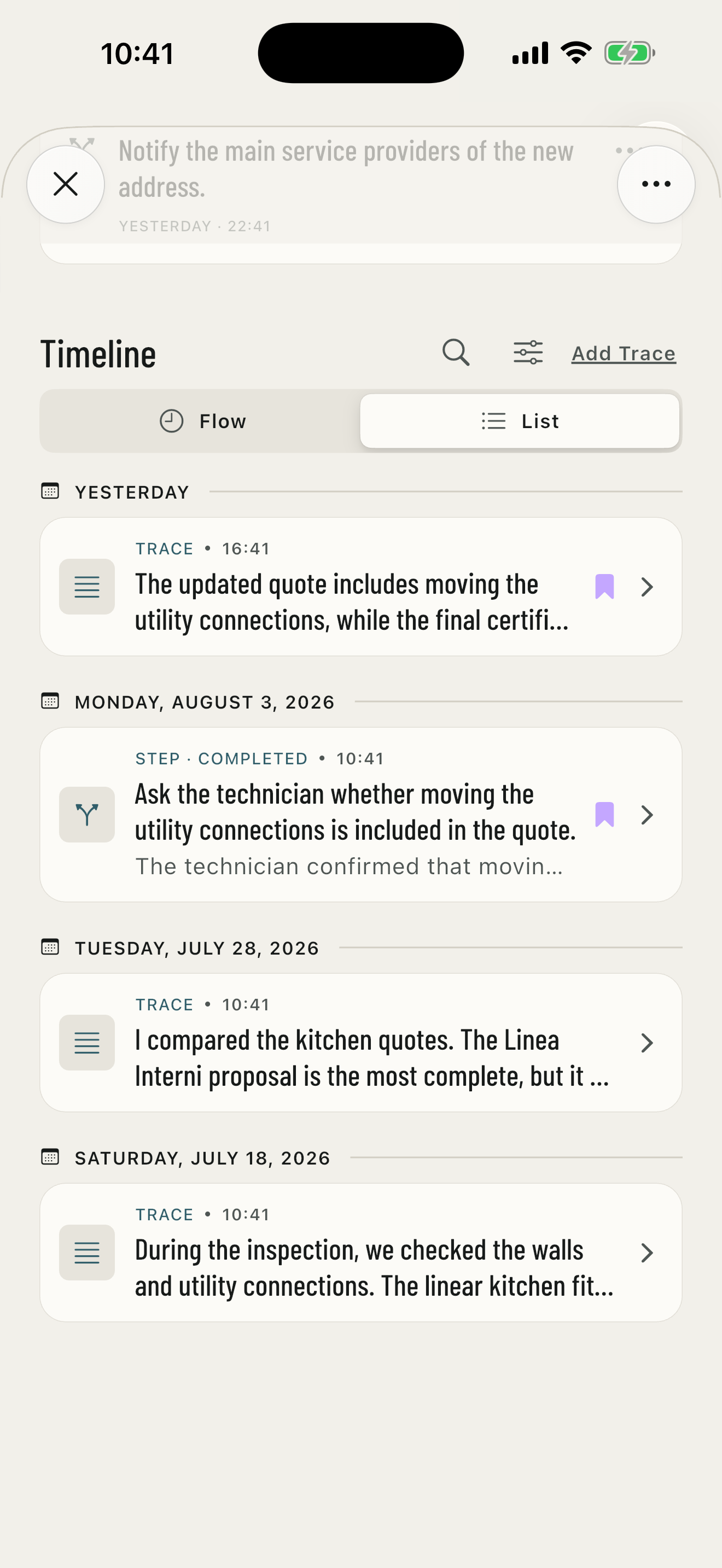
TIMELINE
The complete history in the format that works for you.
Traces, Steps, Appointments, and outcomes appear newest first. Choose Journey or List, search the text, filter by type, status, and date range, and mark key points.
Bring important moments forward with a Key point.
Mark a Trace, completed Step, or Appointment that has entered the Timeline. The purple icon stays visible in both Journey and List without changing event order.
STEPS
The Step to take now and the ones that come next.
Keep the current action clear, prepare future Steps, and add a list when you need more detail. Edit the text, entry date, and list even in completed Steps, without duplicating or reopening them.
APPOINTMENTS
A meeting never loses the context it belongs to.
Set its start and end, place or link, notes, and an optional reminder. You can also connect a Step while keeping the two elements distinct.
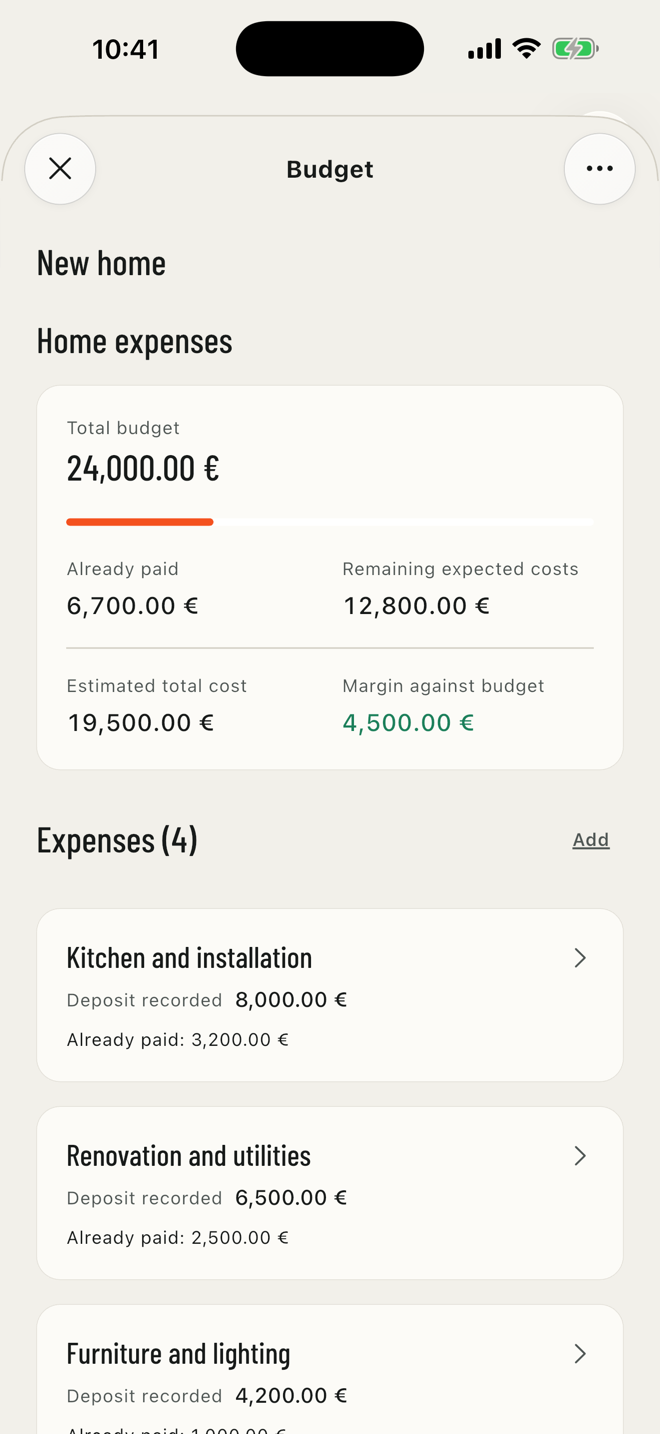
BUDGET
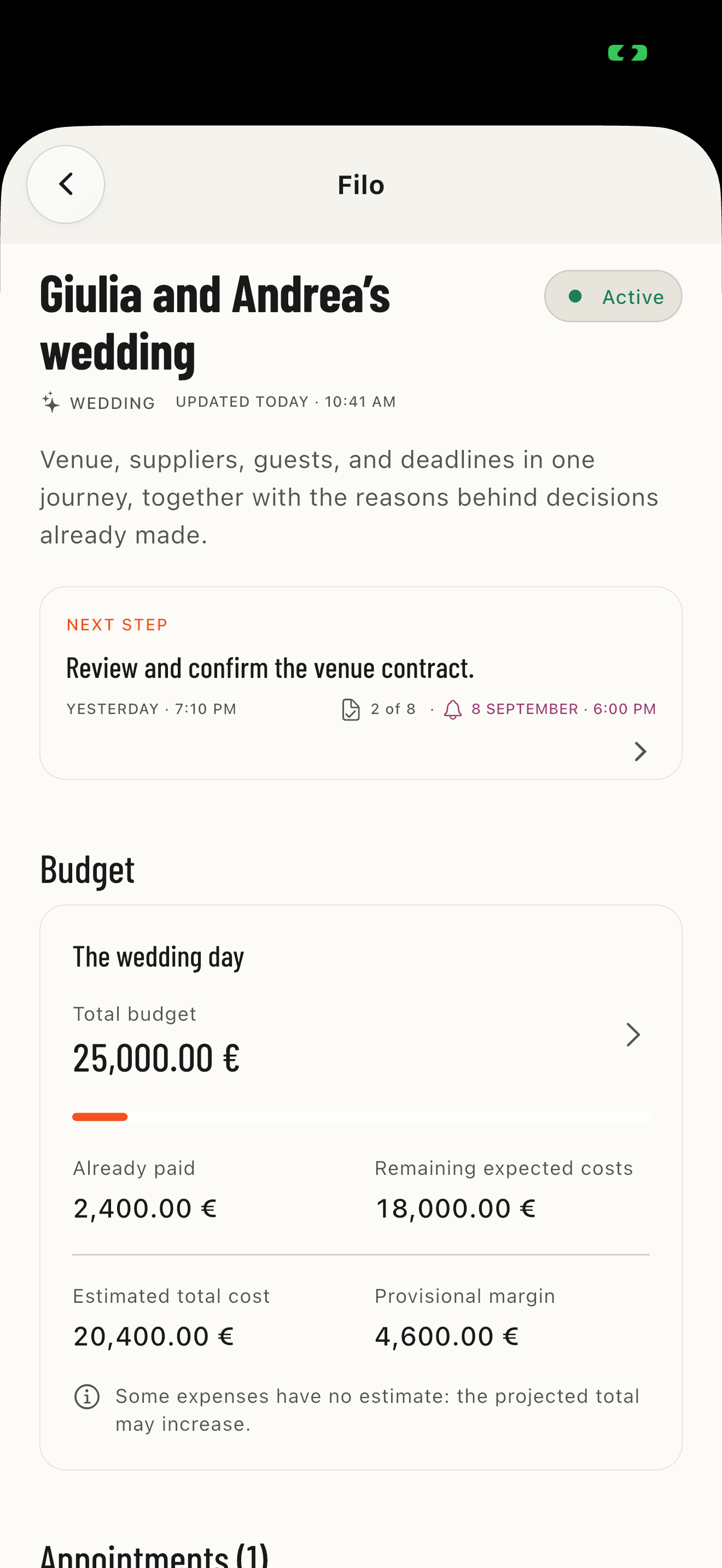
Expenses belong in their Filo.
Create a Budget, choose a currency and add estimates and payments. The overall limit is optional: see what you have paid and what you still expect to spend, link expenses to Steps and keep closed Budgets in the Timeline.
FORMATTED TEXT
Give your words more shape.
Bold, italics, highlights, lists and links in Traces and Steps. Formatting is visible in Filo detail previews too.
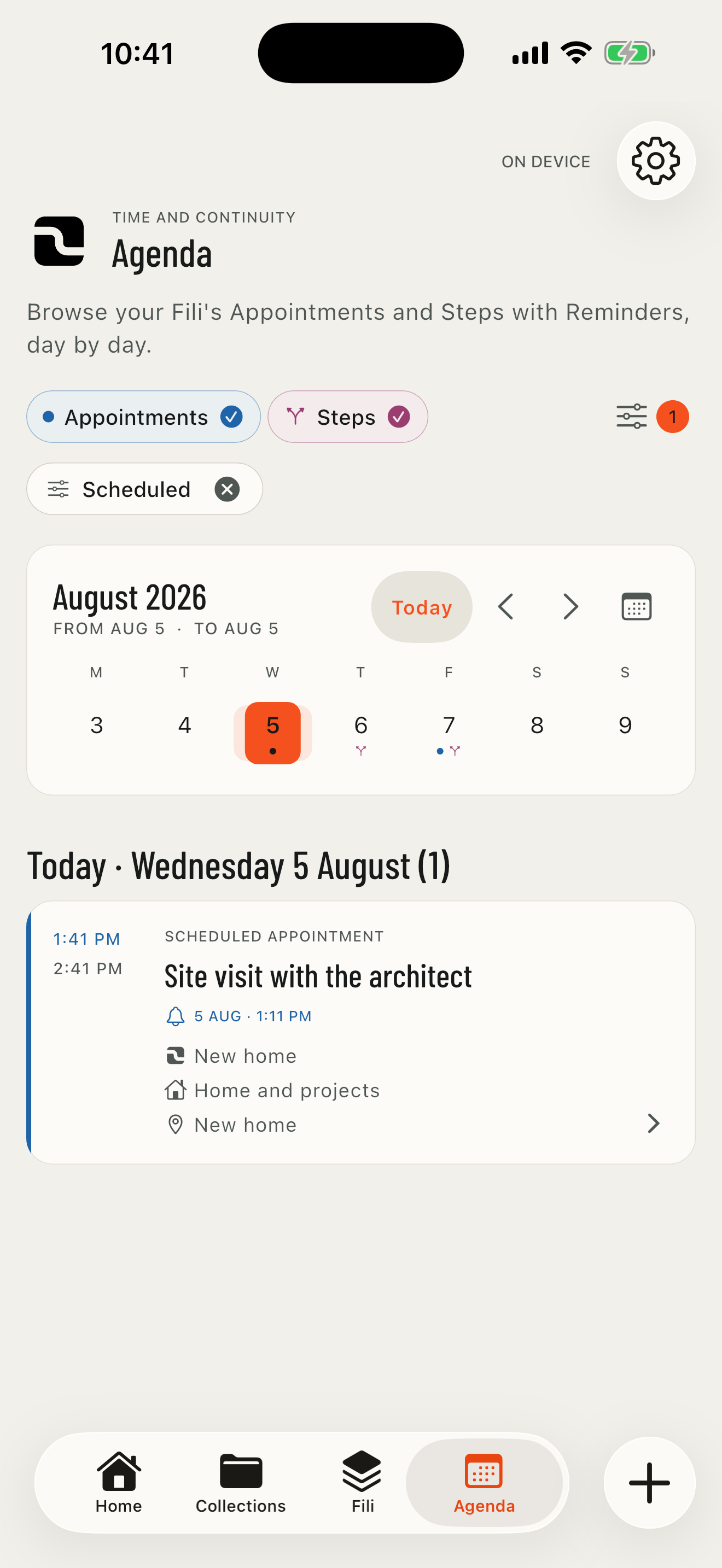
AGENDA
Appointments and Steps with reminders, ordered in time.
View a day or date range and choose Appointments or Steps. Filters bring together status, reminders, Collection, and Filo, plus favorite Collections and favorite Fili. Active selections remain visible as removable chips.
COLLECTIONS
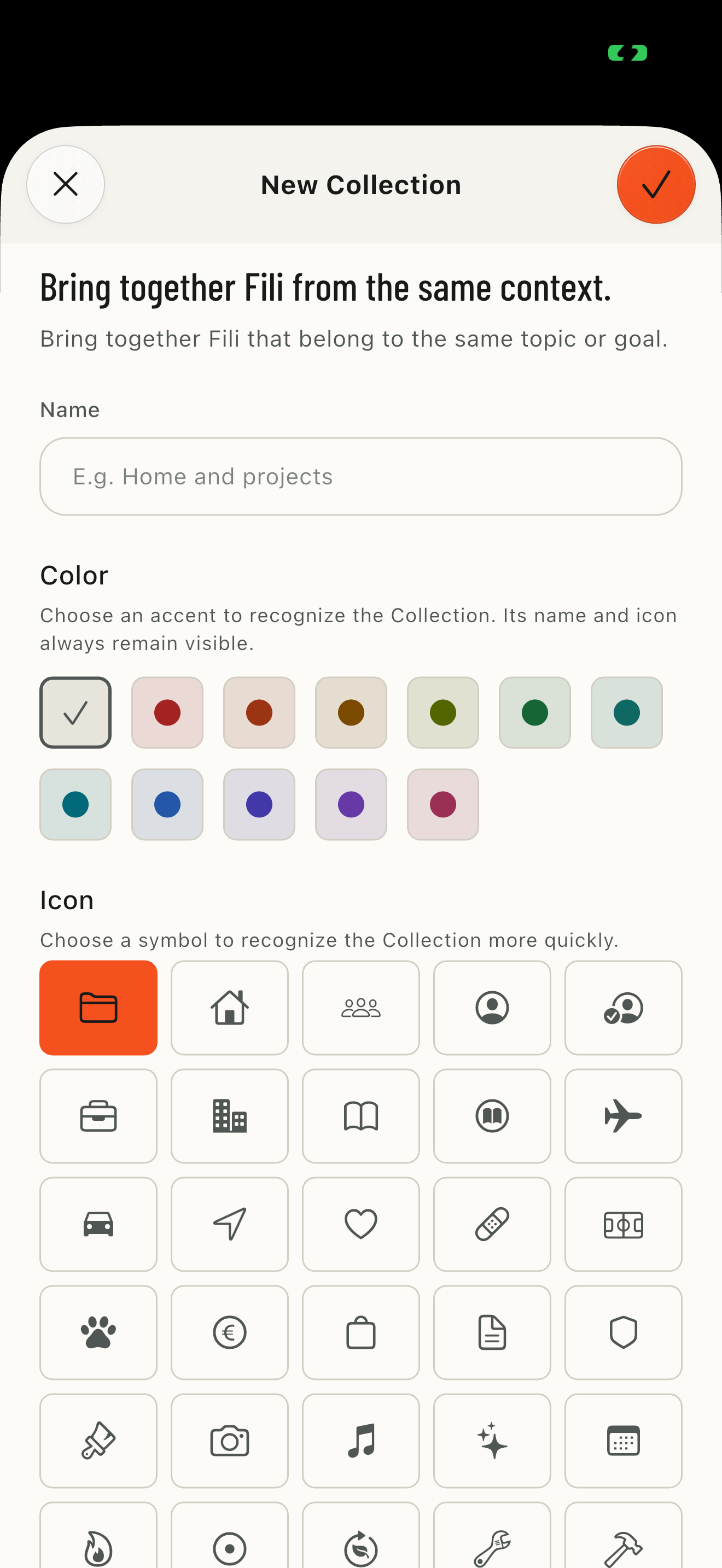
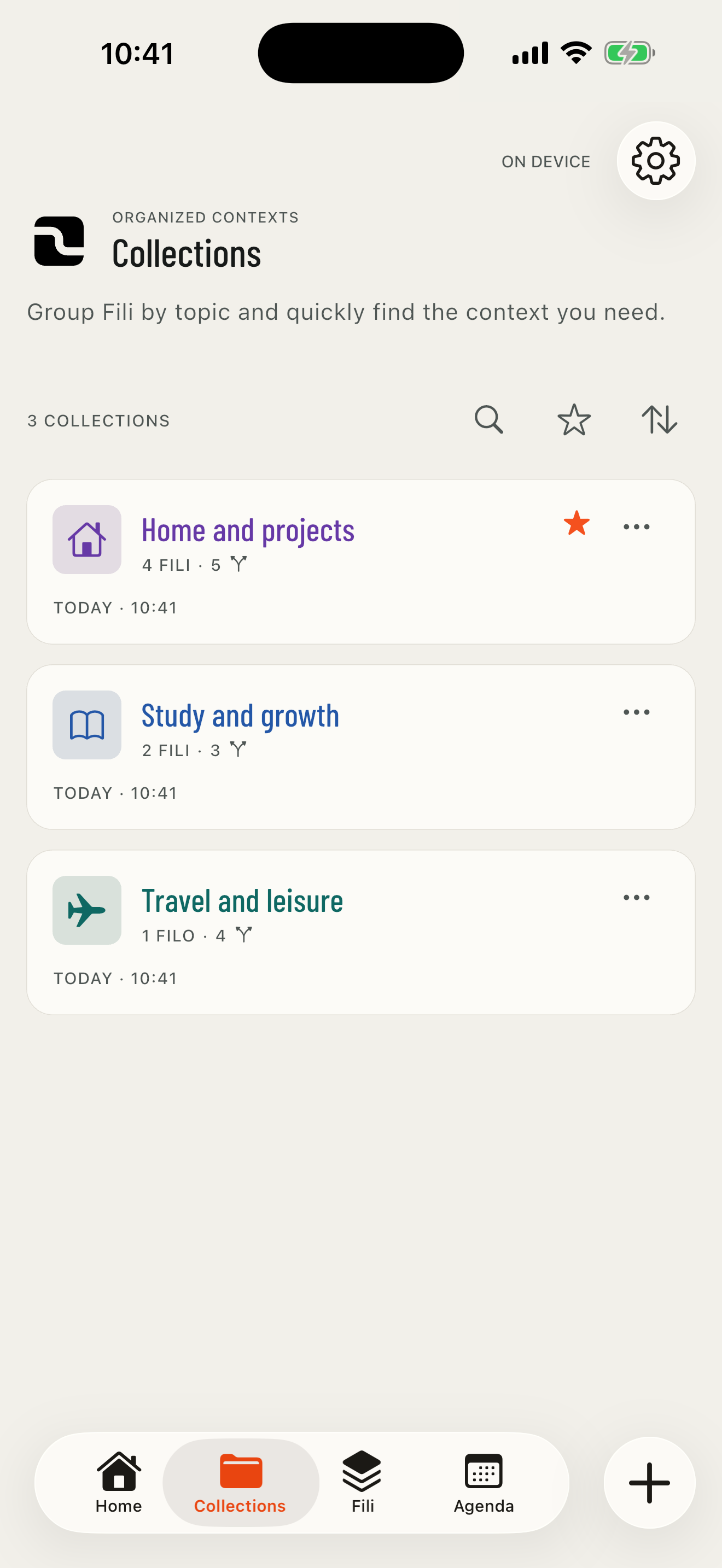
Different Fili, one shared theme.
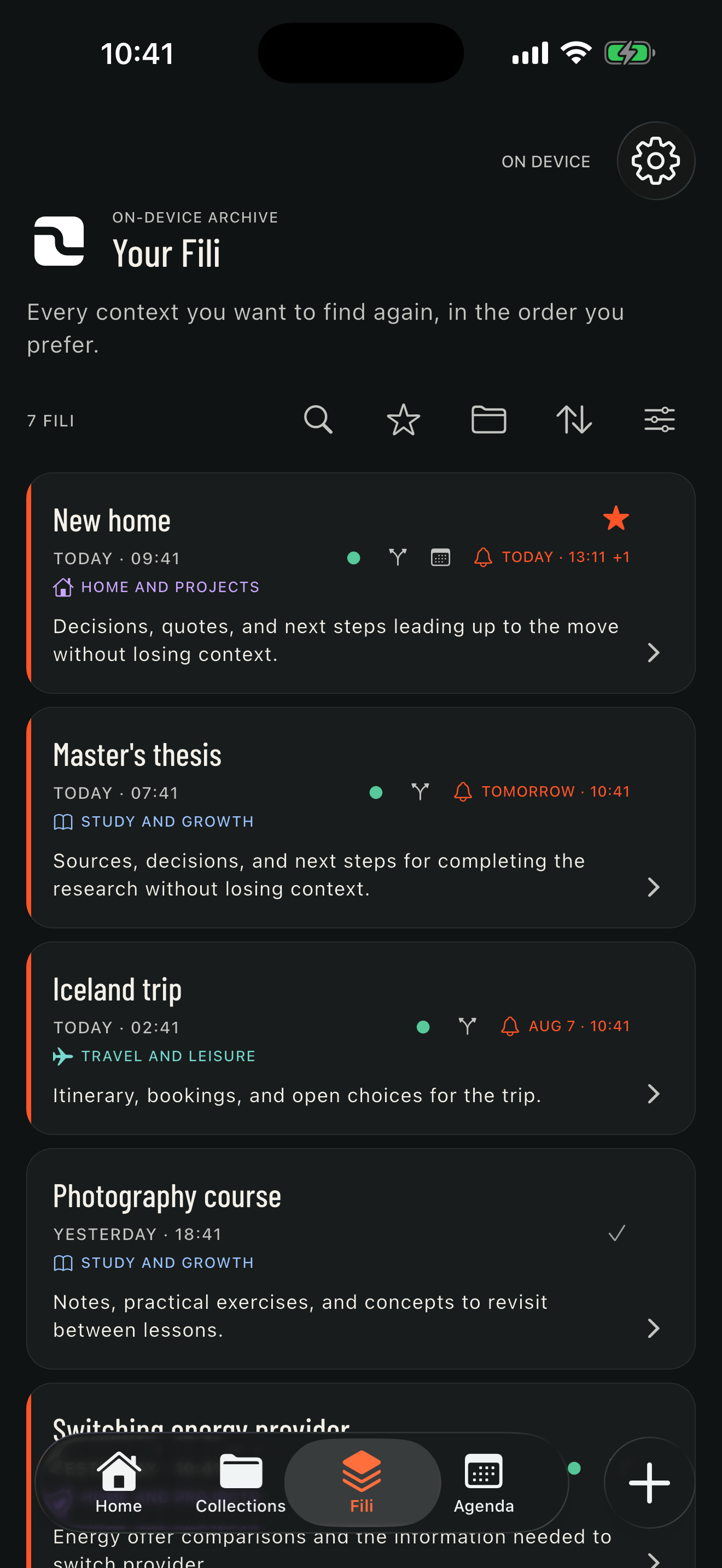
Group Fili by project, topic, or person. Choose from 45 icons and 12 colors: the icon and title carry the Collection’s color wherever it is referenced in the app. Favorite both Collections and individual Fili, and find the latest three in their respective Home sections. Sort Fili and Collections by recent activity or name, with favorites first.
USE CASE EXAMPLES
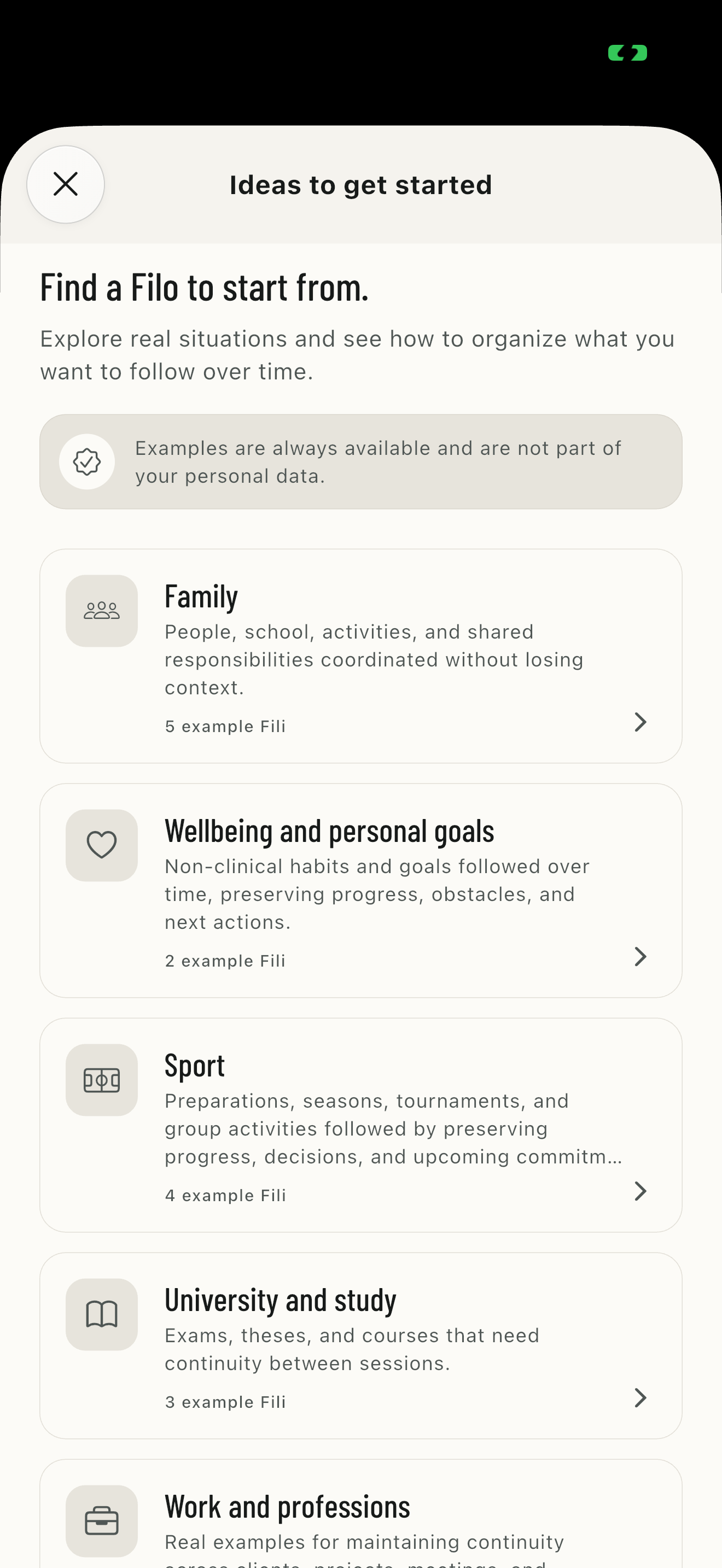
A catalog to explore, not data to import.
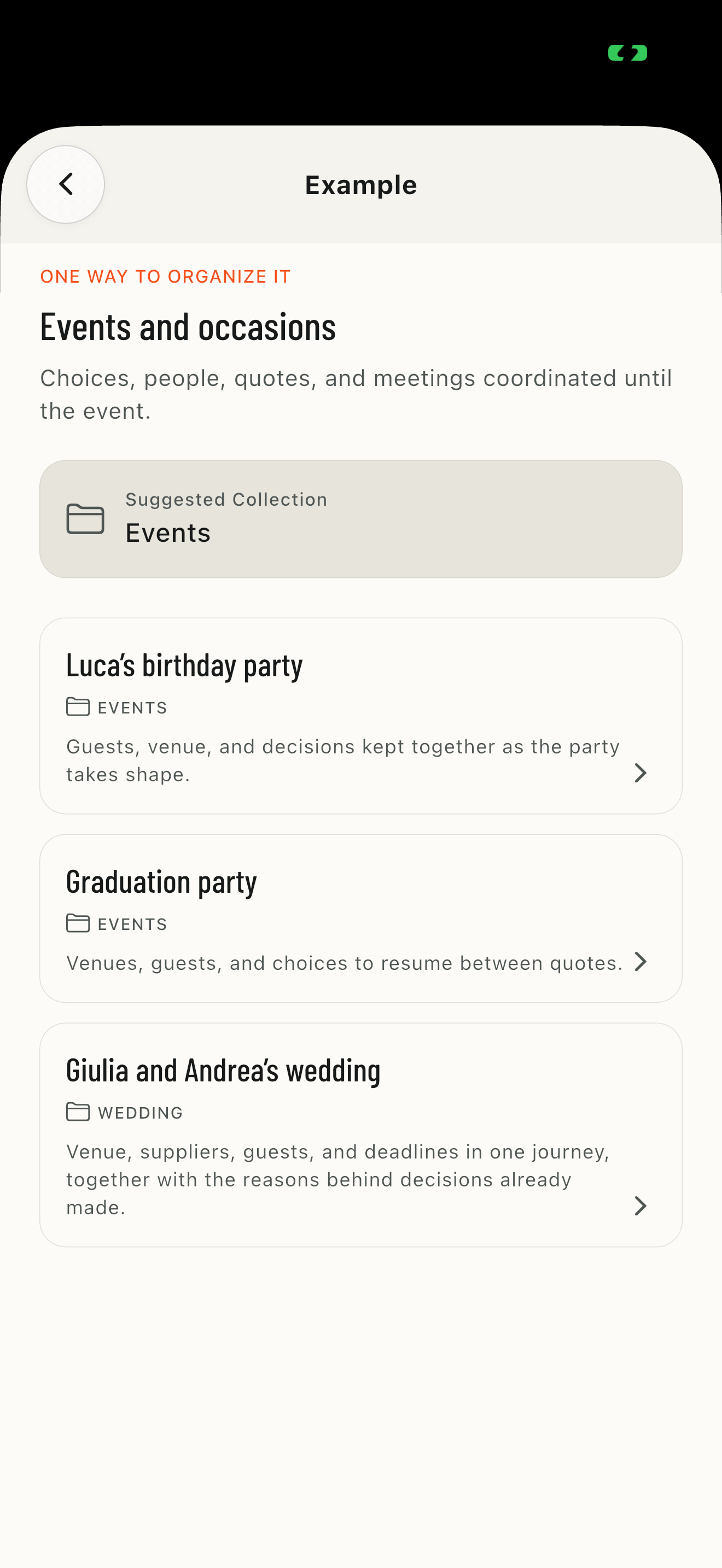
Examples show how a real Filo can evolve. They are always available and remain when you delete your own content.
52 FILI ACROSS 12 PERSONAL AND PROFESSIONAL CATEGORIES
STEPS, APPOINTMENTS, REMINDERS, KEY POINTS, AND DEMONSTRATION AUDIO NOTES
CREATE A SIMILAR FILO BY COPYING ONLY ITS TITLE, DESCRIPTION, AND SUGGESTED COLLECTION
AUDIO NOTES
When speaking is easier than writing.
Record up to two minutes of audio and keep the note in the Filo's history.
REMINDERS
A reminder for the right Step.
Add, change, or remove a reminder directly from the Step detail without opening the full editor. Choose a date and time: tapping the notification takes you back to the Step and its Filo. Filo cards show the nearest reminder across Steps and Appointments.
WIDGETS
Fili to resume and today's Appointments, right on Home Screen.
On iOS and Android, add two widgets: one shows the first Fili to resume and the other today's Appointments. A tap opens the relevant content directly in FILO.
OPTIONAL ICLOUD SYNC
The same Filo on iPhone, iPad, and Mac.
On iPhone and iPad running iOS or iPadOS 17 or later, you can enable Sync without creating a FILO account. On a compatible Mac, you can use the iPad version. Data remains available locally and is aligned through your Apple Account's private CloudKit database.
iCloud Sync and protected .filo backup are separate features. Mac availability depends on iPad app compatibility; on Android, FILO continues to work locally.
A LOCAL COPY REMAINS AVAILABLE, EVEN OFFLINE
YOUR APPLE ACCOUNT'S PRIVATE CLOUDKIT DATABASE
FILI, TRACES, STEPS AND THEIR LISTS, APPOINTMENTS, COLLECTIONS, BUDGETS, ITEMS AND PAYMENTS, REMINDERS, AND AUDIO NOTES
COMPARE DIFFERENCES AND CHOOSE BETWEEN DEVICE AND ICLOUD
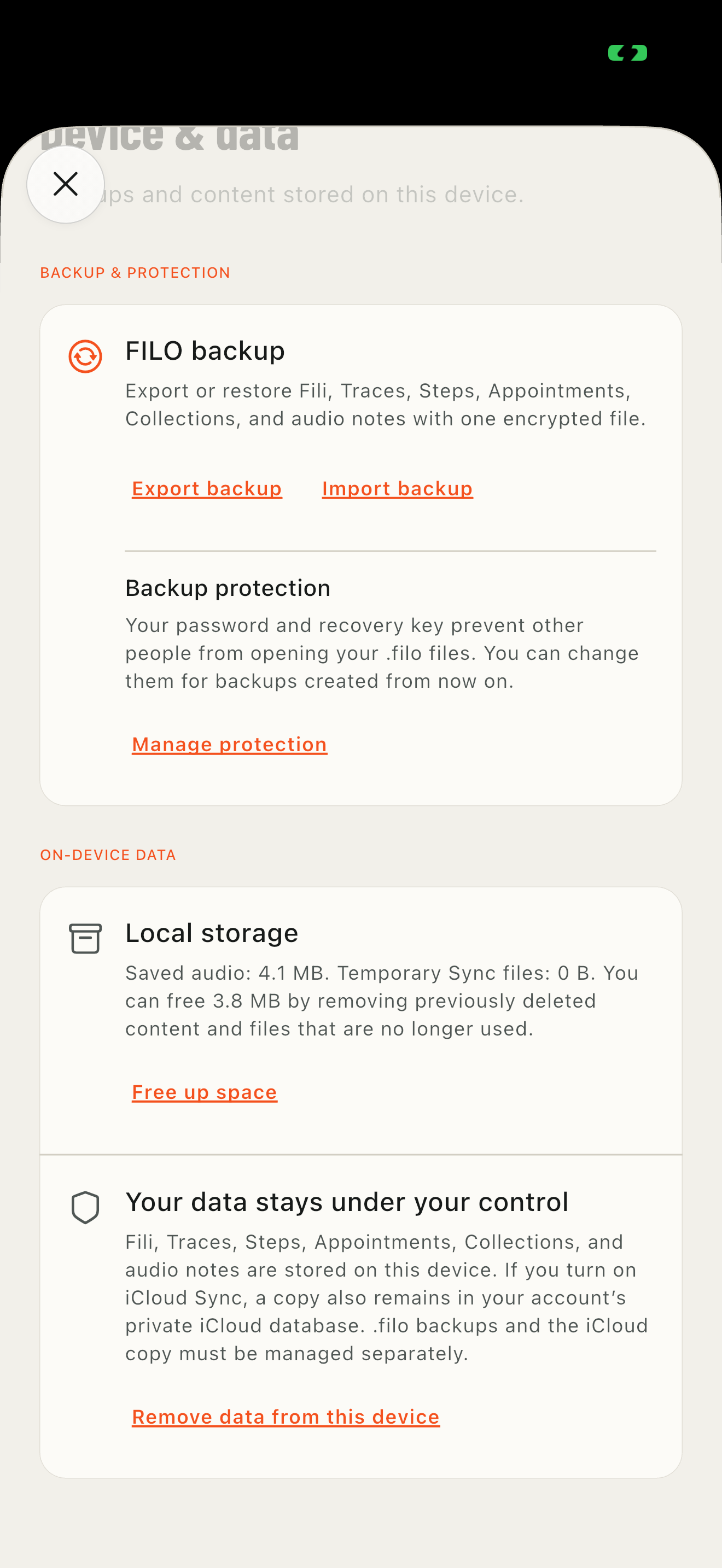
PROTECTED BACKUP
Transfer data without leaving protection to chance.
Protected backup transfers the complete archive progressively, including audio notes, without loading the entire file into memory at once.
FILI, TRACES, STEPS, APPOINTMENTS, COLLECTIONS, BUDGETS, ITEMS AND PAYMENTS, AND AUDIO NOTES
ENCRYPTED .FILO FILE WITH A PASSWORD OR RECOVERY KEY
PASSWORD AND KEY ARE ALTERNATIVES AND ARE NEVER SENT TO FILO
AFTER THE FIRST RESTORE, THE DEVICE RECOGNIZES THAT PROTECTION
NEW PROTECTION APPLIES ONLY TO FUTURE BACKUPS
EXPORTED FILES KEEP THEIR PREVIOUS CREDENTIALS
AN INTERRUPTED RESTORE RESUMES WHEN THE APP REOPENS
A PREPARED BACKUP REMAINS AVAILABLE UNTIL YOU CHOOSE WHERE TO SAVE IT
Recognizing the protection does not link devices: backup and iCloud Sync are separate features. Previously exported backups must be deleted manually from their saved location.
ACCESSIBILITY
Core features remain usable in different ways.
On iPhone, we tested the main journeys with VoiceOver, Voice Control, Larger Text, and Reduce Motion.
VOICEOVER AND VOICE CONTROL
TEXT UP TO ACCESSIBILITY SIZES
STATES IDENTIFIED WITH ICONS AND TEXT AS WELL AS COLOR
REDUCED MOTION FOLLOWING THE SYSTEM SETTING
DARK INTERFACE
These statements cover the journeys tested on iPhone. Android checks continue separately.
LOCAL-FIRST
Works without an internet connection.
FILO always stores and manages a local copy. iCloud Sync is optional: without a connection or on Android, you can keep using the app and align content later.